Россия, Нижний Новгород

СДЕЛАЙТЕ СВОИ УРОКИ ЕЩЁ ЭФФЕКТИВНЕЕ, А ЖИЗНЬ СВОБОДНЕЕ
Благодаря готовым учебным материалам для работы в классе и дистанционно
Скидки до 50 % на комплекты
только до
Готовые ключевые этапы урока всегда будут у вас под рукой
Организационный момент
Проверка знаний
Объяснение материала
Закрепление изученного
Итоги урока
Была в сети 29.10.2024 19:32

Канакова Анна Евгеньевна
преподаватель
6 лет
 1 659
1 659
 42 126
Местоположение
Специализация
Commands and icons on the Microsoft Windows
Категория:
Английский язык
17.11.2019 13:36

Просмотр содержимого документа
«Commands and icons on the Microsoft Windows»

Commands and icons on the Microsoft Windows
Kanakova Anna
Markova Evangelina
Ignatieva Anastasia

Common icons on the Microsoft Windows desktop include:
Microsoft Outlook
A messaging program.

My Briefcase
A program that allows the user to exchange files with a portable computer and to synchronize the files on each computer.

Network Neighbourhood or My Network Places
A feature that displays the names of other computers networked with yours.

My Computer
A feature that lets you see the resources on your computer.

Internet Explorer
A browser program that allows the user to view webpages on the Internet.

Recycle Bin
A feature that stores deleted files and allows the user to restore them to their original location i.e. the equivalent to the trashcan on an Apple Mac system.

A+ sign used between the names of keyboard keys means that the user should press both keys simultaneously e.g. ALT+TAB. Keyboard keys and combination of keys mentioned in the text include:
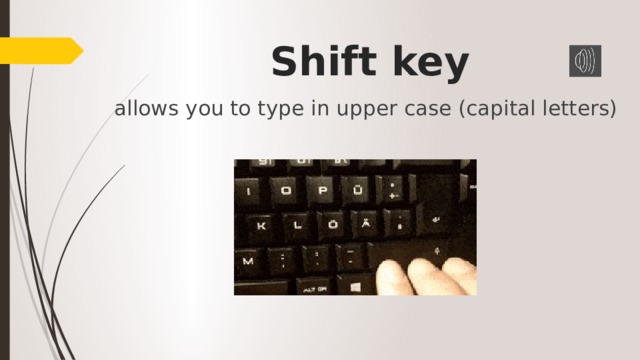
Shift key
allows you to type in upper case (capital letters)
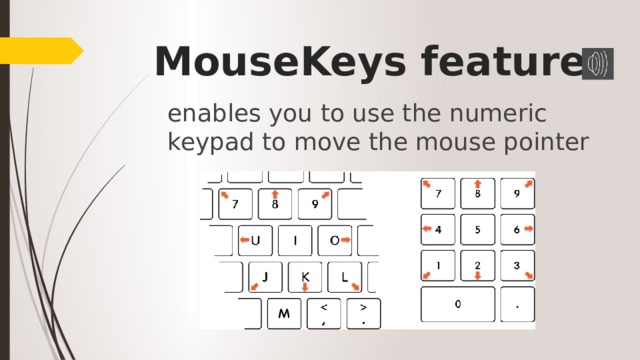
MouseKeys feature
enables you to use the numeric keypad to move the mouse pointer

ALT+TAB
allows you to switch between open programs
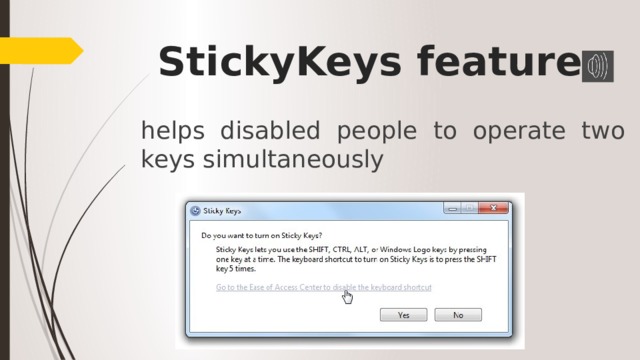
StickyKeys feature
helps disabled people to operate two keys simultaneously
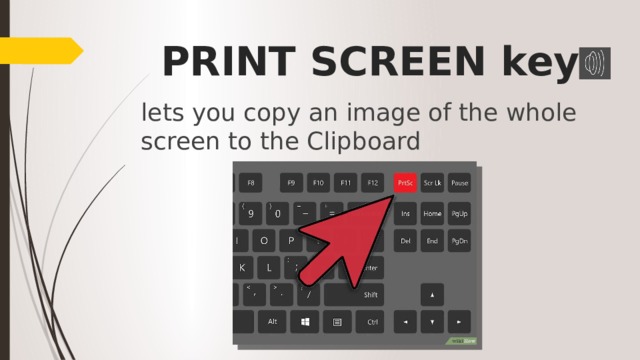
PRINT SCREEN key
lets you copy an image of the whole screen to the Clipboard

ALT+PRINT SCREEN
lets you copy an image of the active window to the Clipboard
Вебинар для учителей
Свидетельство об участии БЕСПЛАТНО!