
СДЕЛАЙТЕ СВОИ УРОКИ ЕЩЁ ЭФФЕКТИВНЕЕ, А ЖИЗНЬ СВОБОДНЕЕ

Благодаря готовым учебным материалам для работы в классе и дистанционно

Скидки до 50 % на комплекты
только до

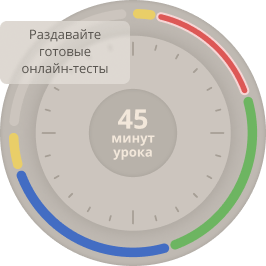
Готовые ключевые этапы урока всегда будут у вас под рукой

Организационный момент

Проверка знаний

Объяснение материала

Закрепление изученного

Итоги урока

Do you know a computer well?

Внимание! Все тесты в этом разделе разработаны пользователями сайта для собственного использования. Администрация сайта не проверяет возможные ошибки, которые могут встретиться в тестах.
Это проверочная работа по теме "Компьютеры. Основные понятия и функции" включает задания на выбор правильного варианта.

Список вопросов теста

Вопрос 1

1. A computer mouse is:


Варианты ответов
  • A) An animal inside the computer
  • B) A device for controlling the cursor
  • C) A type of keyboard
  • D) A drawing program
Вопрос 2

2. What is a «button»?

Варианты ответов
  • A) A piece of clothing
  • B) An on-screen element you can click
  • C) A type of wire
  • D) Part of the processor
Вопрос 3

3. A keyboard is used for:

Варианты ответов
  • A) Watching movies
  • B) Entering text
  • C) Cooling the computer
  • D) Storing files
Вопрос 4

4. What is a computer screen called?

Варианты ответов
  • A) System unit
  • B) Monitor
  • C) Processor
  • D) Mouse
Вопрос 5

5. What is a «file»?

Варианты ответов
  • A) A folder for documents
  • B) A separate document, photo, or program
  • C) A virus
  • D) A type of internet
Вопрос 6

6. To open a program, you need to:

Варианты ответов
  • A) Yell at the computer
  • B) Double-click its icon
  • C) Turn off the monitor
  • D) Press the system unit
Вопрос 7

7. What is the «internet»?

Варианты ответов
  • A) A local network in one room
  • B) A worldwide network for exchanging information
  • C) A program for printing
  • D) A type of computer
Вопрос 8

8. What is the page that opens first in a browser called?

Варианты ответов
  • A) Last page
  • B) Home page
  • C) Blank page
  • D) Secret page
Вопрос 9

9. Letters appear on the screen when you:

Варианты ответов
  • A) Look at the monitor
  • B) Press keys on the keyboard
  • C) Move the mouse
  • D) Turn on the sound
Вопрос 10

10. What is a «folder»?

Варианты ответов
  • A) A paper folder for documents
  • B) A container for storing files on a computer
  • C) Part of a mouse
  • D) A program for the internet
Вопрос 11

11. How do you copy text?

Варианты ответов
  • A) Press Ctrl+C
  • B) Press Ctrl+V
  • C) Press Enter
  • D) Press Power
Вопрос 12

12. How do you paste copied text?

Варианты ответов
  • A) Press Ctrl+C
  • B) Press Ctrl+V
  • C) Press Enter
  • D) Press Power
Вопрос 13

13. What does the «Enter» key do?

Варианты ответов
  • A) Deletes text
  • B) Creates a new paragraph / confirms an action
  • C) Closes a menu
  • D) Opens a menu
Вопрос 14

14. A program is:

Варианты ответов
  • A) A TV show
  • B) A set of instructions for the computer
  • C) A computer part
  • D) A type of internet
Вопрос 15

15. What is an «icon» on the desktop?

Варианты ответов
  • A) Desktop wallpaper
  • B) A small picture representing a program or file
  • C) The mouse cursor
  • D) The taskbar
Вопрос 16

16. To turn off the computer, you need to:

Варианты ответов
  • A) Pull the power cord
  • B) Press the power button
  • C) Press Ctrl+Alt+Delete
  • D) Click the «Start» button → «Shut down»
Вопрос 17

17. What is a «browser»?

Варианты ответов
  • A) A program for viewing web pages
  • B) A program for writing text
  • C) A game
  • D) Part of the processor
Вопрос 18

18. How do you create a new folder?

Варианты ответов
  • A) Right-click → «New» → «Folder»
  • B) Press Ctrl+S
  • C) Press Enter
  • D) Restart the computer
Вопрос 19

19. What does «PC» stand for?

Варианты ответов
  • A) Personal Computer
  • B) Portable Computer
  • C) Processor Case
  • D) Program Complex
Вопрос 20

20. How do you select all text in a document?

Варианты ответов
  • A) Press Ctrl+A
  • B) Press Ctrl+S
  • C) Press Ctrl+P
  • D) Press Esc
Вопрос 21

21. A cursor is:

Варианты ответов
  • A) An on-screen pointer
  • B) A key on the keyboard
  • C) A type of font
  • D) Part of the monitor
Вопрос 22

22. What is the «desktop»?

Варианты ответов
  • A) The table the computer sits on
  • B) The main screen with icons
  • C) A work program
  • D) Part of the keyboard
Вопрос 23

23. A password is needed for:

Варианты ответов
  • A) Speeding up the computer
  • B) Protecting access
  • C) Changing the screen color
  • D) Creating folders
Вопрос 24

24. How do you save a document?

Варианты ответов
  • A) Press Ctrl+S
  • B) Press Ctrl+C
  • C) Press Delete
  • D) Turn off the computer
Вопрос 25

25. What is a «link» on the internet?

Варианты ответов
  • A) Text or an image that leads to another page
  • B) A mailing address
  • C) A password
  • D) A file type
Вопрос 26

26. How do you rename a file?

Варианты ответов
  • A) Click it twice
  • B) Select it → press F2 → enter a new name
  • C) Delete it and create a new one
  • D) Press Ctrl+R
Вопрос 27

27. What does the «Backspace» key do?

Варианты ответов
  • A) Deletes the character to the left of the cursor
  • B) Creates a new file
  • C) Opens a menu
  • D) Turns on Caps Lock
Вопрос 28

28. How do you undo the last action?

Варианты ответов
  • A) Press Ctrl+Z
  • B) Press Ctrl+Y
  • C) Restart the computer
  • D) Press Enter
Вопрос 29

29. What is a «menu»?

Варианты ответов
  • A) A food list in a café
  • B) A list of commands or options in a program
  • C) Desktop wallpaper
  • D) A file type
Вопрос 30

30. The computer is turned on with the:

Варианты ответов
  • A) Power button
  • B) Reset button
  • C) Enter key
  • D) Caps Lock key
Сохранить у себя: